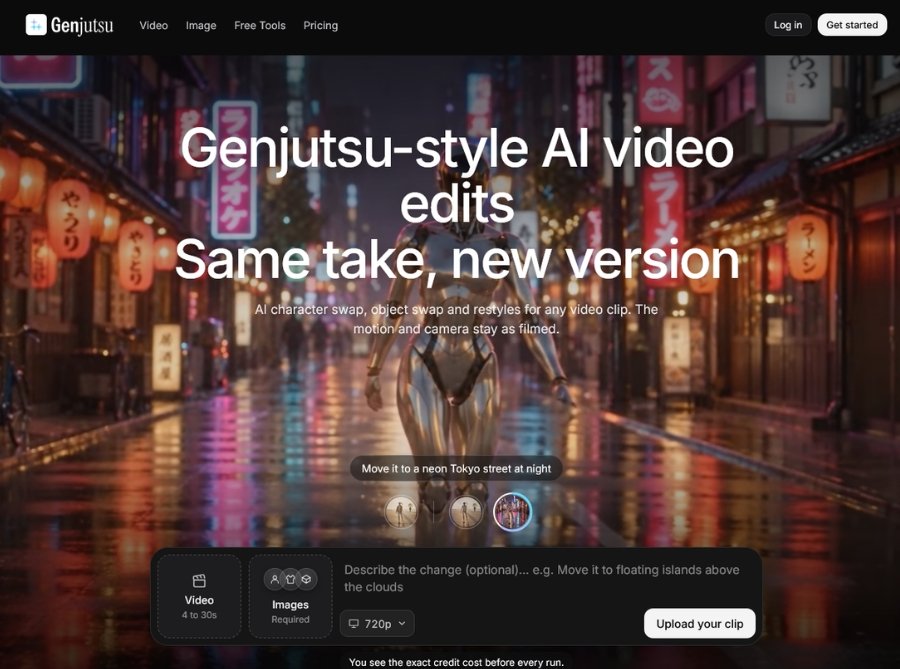
Genjutsu AI is part of the Higgsfield AI video and image generation platform. It takes an existing short video and rebuilds or modifies selected parts of it while keeping the original movement, camera work, and pacing intact.
The tool offers two main workflows: Motion Transfer, which rebuilds the scene around the original motion using up to 40 reference images, and Object Swap, which changes only the element you point to—such as an outfit, product, character, or location—while leaving the rest of the footage unchanged.
Key Features of Genjutsu AI
- Motion Transfer: Rebuild an entire scene while preserving the original motion, camera path, and timing.
- Object Swap: Change only the selected element in a video—such as a person, product, outfit, or location—while keeping the rest of the footage unchanged.
- Reference Image Support: Add up to 40 reference images to guide characters, products, clothing, props, and locations in the generated result.
- Character Recasting: Replace or recast characters in an existing video while retaining the original movement and timing.
- Product Placement: Introduce or replace products within a video scene without reshooting the original footage.
- Wardrobe and Outfit Changes: Change clothing or wardrobe elements while preserving the subject’s motion and camera work.
- Location and Scene Changes: Replace or modify the setting while retaining the original video’s movement and pacing.
- Visual Style Changes: Adjust the visual style of a clip while keeping the underlying motion and structure intact.
- Multiple Variations: Run multiple versions from one setup and generate additional variations from the outputs that perform best.
- Higgsfield Credit System: Uses the standard Higgsfield credit system for video, image, and workflow generation.
How to Use Genjutsu AI
- Log in to Higgsfield: Access Genjutsu through the Higgsfield platform or its API playground.
- Upload a Video Clip: Add an existing video of 3–30 seconds that you want to transform.
- Choose a Workflow: Select Motion Transfer to rebuild the scene or Object Swap to change only one element.
- Add Reference Images: Upload reference images for characters, products, outfits, props, or locations—up to 40 references are supported.
- Describe the Change: Specify what should be different, such as the person, product, wardrobe, location, or visual style.
- Review Credit Cost: Check the credit cost shown on the Generate button before confirming the render.
- Generate and Review: Create the video variation, review the output, and generate additional versions if needed.
Use Cases for Genjutsu AI
- Marketing Teams: Create multiple ad variations from one filmed take without reshooting the scene.
- Product Brands: Swap products, change wardrobe, or adjust locations in existing product videos.
- Content Creators: Recast characters or change scenes while preserving the original motion and camera work.
- E-Commerce Sellers: Produce product-focused video variations from existing footage for online listings.
- Social Media Teams: Generate multiple short-form video versions from a single source clip.
- Fashion Brands: Change outfits or wardrobe elements in fashion videos while keeping movement intact.
- Video Editors: Modify specific elements in a clip without manually editing every frame.
- Agencies: Produce multiple campaign variations from one production setup for client work.
Genjutsu AI FAQ
What is Genjutsu AI?
Genjutsu is a video-to-video AI workflow from Higgsfield that changes people, products, locations, wardrobe, or visual style in an existing video while preserving the original motion, camera path, and timing.
What is the difference between Motion Transfer and Object Swap?
Motion Transfer rebuilds the entire scene around the original motion, while Object Swap changes only the element you point to and leaves the rest of the footage unchanged.
How many reference images can I use?
Genjutsu supports up to 40 reference images to guide characters, products, clothing, props, and locations.
How much does Genjutsu cost?
Pricing is credit-based through Higgsfield plans, starting at $9/month for 120 credits, with Plus at $49/month for 1,000 credits and Ultra at $129/month for 3,000 credits.
Does Genjutsu preserve the original camera movement?
Yes, Genjutsu preserves the original motion, camera path, timing, and editing of the source video.
Does Genjutsu show the cost before generating?
Yes, the credit cost is shown on the Generate button before you confirm the render.
Can I create multiple variations from one video?
Yes, you can run multiple versions from one setup and generate additional variations from the outputs that perform best.