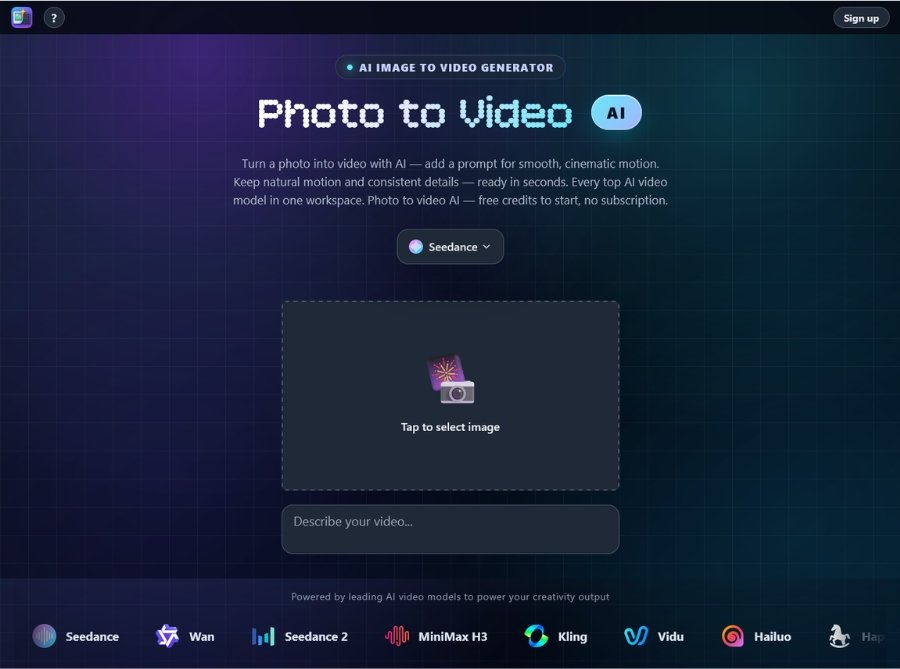
Photo2Video AI is a browser-based AI video generation platform designed to turn any still photo, illustration, or product shot into a short, cinematic video clip with natural motion, camera movement, and professional lighting—all generated in seconds without requiring video editing skills, timeline manipulation, or subscription commitments. Unlike single-model AI video tools that limit users to one generator’s style and capabilities, Photo2Video AI aggregates 14+ top AI video models (Sora 2, Veo, Kling, MiniMax, Seedance, Wan, Vidu, Hailuo, Happy Horse, Agnes, LTX 2.5, Imagine, and more) in one unified workspace, enabling users to switch models per shot, compare results side-by-side, and pay per video with transparent credit-based pricing.
It serves diverse use cases including portrait animation (making faces blink, smile, and turn), product showcases (360-degree spins and multi-angle rotations), artwork animation (gentle motion for illustrations and paintings), lifestyle scene creation (dropping subjects into rooms, desks, or streets with matching lighting), and background animation (moving skies, water, and scenes behind subjects)—all while preserving subject identity, color accuracy, and composition consistency across multi-shot sequences.
Key Features of Photo2Video AI
- Image to Video AI: Animate a single photo into smooth motion with sharp subjects and living scenes—upload one image and generate cinematic video clips in seconds.
- AI Photo Animator: Bring any still photo to life with natural movement for faces, hair, water, and environmental elements—one image in, video out with realistic motion.
- AI 360 Spin from Image: Rotate a subject on a clean loop from one shot, showing every angle for product listings, showcases, and e-commerce displays.
- AI Portrait Animator: Make portraits blink, smile, turn, and express with lifelike facial movements—ideal for old photos, headshots, and character animation.
- AI Lifestyle Scene from Photo: Drop your subject into any setting in motion (room, desk, street) with lighting and perspective that match the original image.
- AI Background Animator: Animate or swap the backdrop behind your subject with moving skies, water, and scenes while keeping edges clean and subject intact.
- Multi-Model Access: Choose from 14+ leading AI video models including Sora 2, Veo, Kling 3.0, MiniMax H3, Seedance 2.0, Wan 3.0, Vidu Q3, Hailuo, Happy Horse, Agnes, LTX 2.5, and Imagine.
- Camera Movement Control: Direct specific camera moves including snap push-in, hero close-up, orbit shots, handheld energy, or locked-off frames for precise cinematic control.
- Reference Image Support: Upload up to 8 reference images to guide the model in holding shape, color, and composition frame-to-frame for seamless multi-shot videos.
- Motion Brush Tool: Brush the exact detail you want to highlight or animate, giving you granular control over which elements move and how they behave.
- Prompt-Based Direction: Add text prompts to guide motion style, pacing, lens choice, depth of field, and cinematic styling for customized video outputs.
- 4K Resolution Export: Generate videos up to 4K resolution for cinematic quality, with resolution settings varying by AI model selection.
- MP4 Format Download: Export finished videos in universally compatible MP4 format, ready to share on social media, websites, or client deliverables.
- Model Comparison: Switch models per shot and compare results side-by-side to find the best style, motion quality, and output for your specific image.
How to Use Photo2Video AI
- Visit the Platform: Navigate to photo2video.ai through your web browser on desktop or mobile—no software download or installation required.
- Create Free Account: Sign up for a new account to receive free credits instantly—no credit card required to start generating videos.
- Upload Your Photo: Drag and drop or click to upload the still image you want to animate (supports photos, illustrations, product shots, portraits, and artwork).
- Add Optional Prompt: Type a text prompt to guide motion style, camera movement, pacing, lens choice, depth of field, or cinematic styling for your video.
- Choose AI Model: Select from 14+ available AI video models (Sora 2, Veo, Kling, MiniMax, Seedance, Wan, Vidu, etc.) based on your desired output style and quality.
- Set Camera Movement (Optional): Direct specific camera moves like push-in, orbit, close-up, handheld, or locked-off frames for precise cinematic control.
- Upload Reference Images (Optional): Add up to 8 reference images to guide the model in maintaining shape, color, and composition consistency across frames.
- Use Motion Brush (Optional): Brush specific areas you want to animate or highlight for granular control over which elements move and how they behave.
- Generate Your Video: Click generate and wait 1-2 minutes (or seconds for faster models) for the AI to create your animated video clip from the uploaded photo.
- Review & Compare: Preview your generated video, switch to different models if needed, and compare results to find the best output for your project.
- Download in MP4: Once satisfied, download your finished video in MP4 format (up to 4K resolution depending on model) ready for sharing or further use.
Use Cases for Photo2Video AI
- E-Commerce Sellers & Product Marketers: Create 360-degree product spins, multi-angle showcases, and lifestyle scene videos from single product photos for Amazon, Shopify, and social commerce listings.
- Content Creators & Influencers: Animate portraits, bring artwork to life, and create eye-catching motion content for Instagram Reels, TikTok, YouTube Shorts, and social media posts.
- Photographers & Portrait Artists: Make headshots and portraits blink, smile, and turn with lifelike expressions—ideal for photography portfolios, memorial videos, and client deliverables.
- Digital Artists & Illustrators: Add gentle motion to illustrations, paintings, and digital art pieces to create animated portfolios, NFTs, and dynamic social content.
- Marketing Agencies & Ad Creators: Produce cinematic product videos, lifestyle scene ads, and background-animated creatives for client campaigns without video shoots or editing.
- Real Estate Agents: Animate property photos with camera movement, create lifestyle scene videos, and showcase listings with dynamic motion for Zillow, Realtor.com, and social listings.
- Restoration & Memorial Projects: Bring old family photos to life with natural facial movements, blinks, and smiles for memorial videos, family history projects, and heritage preservation.
- Social Media Managers: Generate engaging motion content at scale from still photos for brand posts, story graphics, reels, and platform-specific video content without video production.
- Game Developers & Concept Artists: Animate concept art, character designs, and environment illustrations for pitch decks, trailers, and promotional materials with cinematic motion.
- Fashion & Apparel Brands: Create lifestyle scene videos showing models in different settings, animate product shots with background motion, and showcase collections with dynamic video content.
- Travel Bloggers & Tourism Boards: Animate destination photos with camera movement, create dynamic travel reels from still shots, and showcase locations with cinematic motion for promotional content.
- Educators & Presenters: Add motion to educational visuals, diagrams, and presentation graphics to create engaging video content for online courses, webinars, and training materials.