287
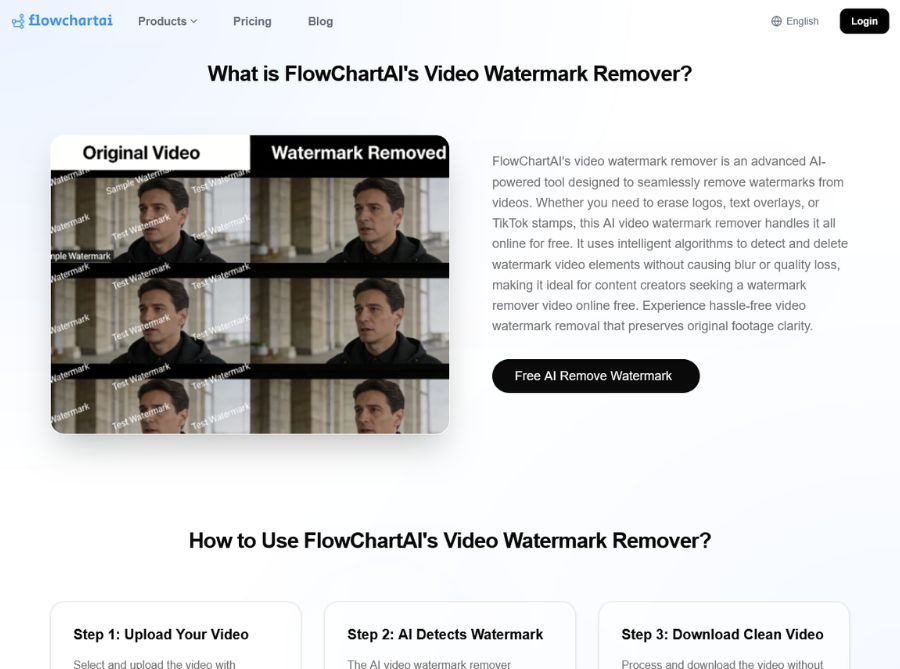
FlowchartAI video watermark remover uses AI to detect the watermark area, reconstruct the surrounding pixels, and produce a cleaner video with minimal visual damage. Most modern online removers support common formats like MP4, MOV, AVI, and WebM, and many emphasize no-signup access, HD output, and simple drag-and-drop use.
Simply upload a clip, mark the watermark region, let the AI process it, then download a polished version ready for repurposing, archiving, or editing. This makes it especially useful when you have access to a video file but not the original clean master.
Key Features of FlowchartAI
- AI watermark detection: Automatically identifies logos, text stamps, and other overlay areas so you don’t have to manually edit each frame.
- Background reconstruction: Rebuilds the removed area using surrounding pixels to keep the result looking natural, rather than blurry or cut out.
- Supports common formats: Online watermark removers commonly support MP4, MOV, AVI, 3GP, and WebM files.
- Fast browser workflow: No software installation is needed; everything runs online in a few steps.
- Works on multiple devices: Many tools in this category are usable on PCs, iPhones, Android devices, and tablet browsers.
- HD or lossless export focus: Several watermark removers advertise high-quality output without major loss in resolution or bitrate.
- No-signup convenience: Some tools offer free or frictionless entry, which is helpful for one-off cleanup jobs.
Use Cases of FlowchartAI
- Repurposing content: Remove platform watermarks from clips before editing them into a new social video or compilation. Clean up old footage when you no longer have the original export.
- Marketing and brand edits: Remove third-party overlays from clips you’re using in campaigns, reels, or product demos. Make archive content look more polished for presentation or reuse.
- Personal video cleanup: Restore family clips, travel footage, or saved screen recordings that contain unwanted stamps or dates.
- Content production workflows: Prepare clean assets before adding your own branding, captions, and overlays in a later edit.
- Mobile-first editing: Quickly process short clips from a phone browser without a desktop video editor.