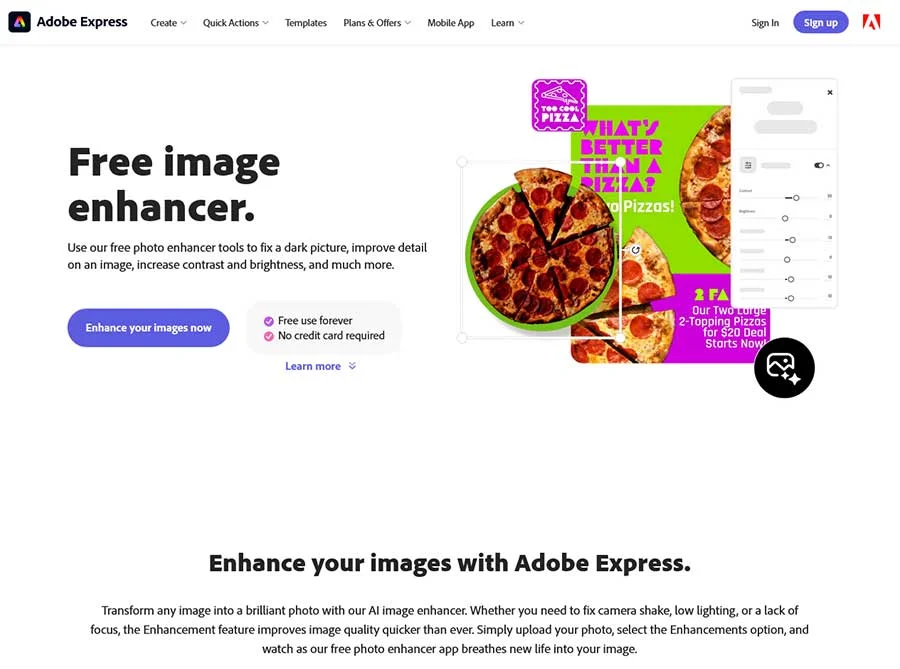
What is Adobe Express AI Image Enhancer?
Adobe Express AI Image Enhancer is a browser-based photo editing platform that leverages Adobe Firefly generative AI to automatically improve image quality, remove backgrounds, add or remove objects, and apply intelligent enhancements—all with simple one-click tools and manual adjustment sliders for fine-tuning brightness, contrast, saturation, and more. Unlike complex desktop software like Photoshop that requires technical expertise and subscription fees, Adobe Express delivers professional AI-powered editing in a free, user-friendly interface optimized for quick edits, social media content, and creative projects without steep learning curves.
The platform serves diverse use cases including profile picture creation, product photography enhancement, social media post design, flyer and poster creation, album cover design, photo restoration (unblur, sharpen), background removal for e-commerce listings, object removal (photobombers, distractions), and creative object addition (props, backgrounds, details)—all supported by thousands of free templates, Adobe Stock images, fonts, icons, GIFs, and design assets for complete creative workflows from photo enhancement to final design output.
Key Features of Adobe Express AI Image Enhancer
- AI Auto Enhance: Automatically improve photo quality with one-click AI-powered enhancement that adjusts lighting, color, and clarity for instant improvements.
- AI Background Removal: Remove distracting or unwanted backgrounds in one click with AI that detects subjects automatically—perfect for profile pictures and product photography.
- AI Add Object: Use generative credits to seamlessly insert objects, props, backgrounds, or creative details into photos with AI-powered content generation.
- AI Remove Object: Remove distractions like photobombers, out-of-place objects, or unwanted elements from photos with intelligent AI content-aware filling.
- Crop Tool: Crop images to perfect composition, remove unwanted edges, and resize for different platforms and aspect ratios.
- Resize Tool: Change image dimensions for social media, print, web, or specific platform requirements without quality loss.
- Straighten Tool: Correct tilted or crooked photos with manual straightening adjustments for professional-looking compositions.
- Brightness Adjustment: Fine-tune image brightness with easy-to-use sliders to make details stand out and improve overall exposure.
- Contrast Adjustment: Adjust contrast levels to enhance depth, make subjects pop, and improve visual impact of photos.
- Saturation Adjustment: Control color saturation to make images more vibrant or create muted, artistic effects.
- Sharpen Tool: Reduce blur and sharpen details in out-of-focus or low-resolution images for clearer, crisper results.
- Photo Filters: Apply pre-made filters to give pictures unique styles, moods, and artistic effects with one-click application.
- Photo Effects: Add creative effects, overlays, and artistic treatments to transform photos with professional-looking enhancements.
- Add Text on Photo: Overlay text on images with customizable fonts, sizes, colors, and positioning for quotes, captions, and graphics.
- Blur Background: Apply background blur effects to create depth of field, focus attention on subjects, and achieve professional bokeh looks.
- Template Library: Access thousands of free templates for social posts, flyers, album covers, profile photos, and unlimited other designs.
- Adobe Stock Integration: Browse and use thousands of free Adobe Stock images directly within Adobe Express for projects and enhancements.
- Design Assets: Add pre-loaded fonts, icons, GIFs, and design elements to personalize and elevate your enhanced images.
How to Use Adobe Express AI Image Enhancer
- Visit the Platform: Navigate to adobe.com/express/feature/image/enhance through your web browser on desktop or mobile—no software download required for web version.
- Upload Your Photo: Drag and drop an image from your device or click browse to upload the photo you want to enhance.
- Browse Adobe Stock (Optional): Explore thousands of free Adobe Stock images within Adobe Express to find the perfect photo for your project instead of uploading.
- Auto Enhance: Use the AI auto-enhance feature for instant one-click improvements to lighting, colour, and overall image quality.
- Remove Background: Click the background removal tool to automatically detect and remove backgrounds with AI—ideal for profile pictures and product shots.
- Add or Remove Objects: Use generative credits to add objects (props, backgrounds, details) or remove distractions (photobombers, unwanted elements) with AI-powered editing.
- Manual Adjustments: Fine-tune brightness, contrast, saturation, and other settings with easy-to-use sliders for precise control over image appearance.
- Crop and Resize: Crop images for perfect composition and resize for different platforms (Instagram, Facebook, print, web) without quality loss.
- Apply Filters and Effects: Add creative filters and effects to give your pictures unique styles, moods, and artistic treatments.
- Add Text and Graphics: Overlay text, fonts, icons, and design assets to create complete graphics, quotes, captions, and personalized designs.
- Use Templates: Start from thousands of free templates for social posts, flyers, album covers, and profile photos to accelerate your design workflow.
- Download and Share: Instantly download your enhanced photo to share with friends, family, and followers, or continue editing with additional tools and effects.
Use Cases for Adobe Express AI Image Enhancer
- Social Media Managers: Create eye-catching posts, stories, and profile pictures with background removal, filters, text overlays, and templates optimized for Instagram, Facebook, TikTok, and LinkedIn.
- Small Business Owners: Design marketing materials, product photos, flyers, posters, and promotional graphics with professional AI enhancements and thousands of business templates.
- Content Creators & Influencers: Produce engaging thumbnails, social content, album covers, and branded graphics with AI editing, effects, and customizable design assets.
- Students & Educators: Create presentations, project visuals, posters, and educational materials with easy-to-use editing tools, templates, and design assets for academic work.
- E-Commerce Sellers: Remove backgrounds from product photos, enhance image quality, and create professional product listings for Amazon, Shopify, Etsy, and online stores.
- Photographers: Quickly enhance portraits, remove distractions, adjust lighting and color, and prepare photos for client delivery or social sharing with professional AI tools.
- Event Planners: Design invitations, flyers, posters, and promotional materials for events, parties, weddings, and gatherings with customizable templates and AI enhancements.
- Nonprofit & Community Organizations: Create awareness campaigns, event promotions, social media content, and fundraising materials with free templates and professional editing tools.
- Bloggers & Writers: Enhance blog post images, create featured graphics, design quote images, and produce visual content for websites and articles with AI-powered editing.
- Personal Projects: Improve family photos, create personalized gifts, design social media posts, and experiment with creative effects for fun and personal expression.
- Restoration Projects: Unblur old or low-resolution photos, sharpen details, reduce noise, and restore image quality for family memories and heritage preservation.
- Marketing Agencies: Produce client deliverables, ad creatives, social content, and promotional materials at scale with templates, quick actions, and AI-powered efficiency.
FAQs About Adobe Express AI Image Enhancer
Enhancing an image with AI means using smart tools to improve its appearance, including auto-adjustments, background removal, object addition/removal, and sharpening details for better clarity and quality.
Adobe Express provides quick tools for cropping, resizing, contrast adjustments, filters, and AI features powered by Firefly, enabling fast edits without experience.
Yes. The free Adobe Express mobile app for iOS and Android supports AI enhancement, sharpening, and other tools directly on your device.
Open the Adjustments menu and use the Sharpen tool to reduce blur in out-of-focus or low-resolution images with simple slider controls.
Yes. The free plan includes quick actions, templates, photo editing, effects, and limited generative AI credits; the premium adds more credits and assets.
Upload JPEG, JPG, PNG, or WebP files under 40MB; no credit card needed for basic use, though some AI features require generative credits.
Yes. Generative tools (add/remove objects, backgrounds) use Firefly credits included with free/premium plans, with the option to purchase more.
Yes. Browse thousands of free Adobe Stock photos within Express to select, enhance, and use in projects alongside your uploads.
Some Other Adobe Ai Tools
- Adobe Firefly allows users to generate great image content.
- Adobe Speech Enhancer improve the audio quality of recorded speech.
- Adobe Podcast AI is a free AI podcast tool that allows users to record, edit, and enhance high-quality podcasts and voiceovers.