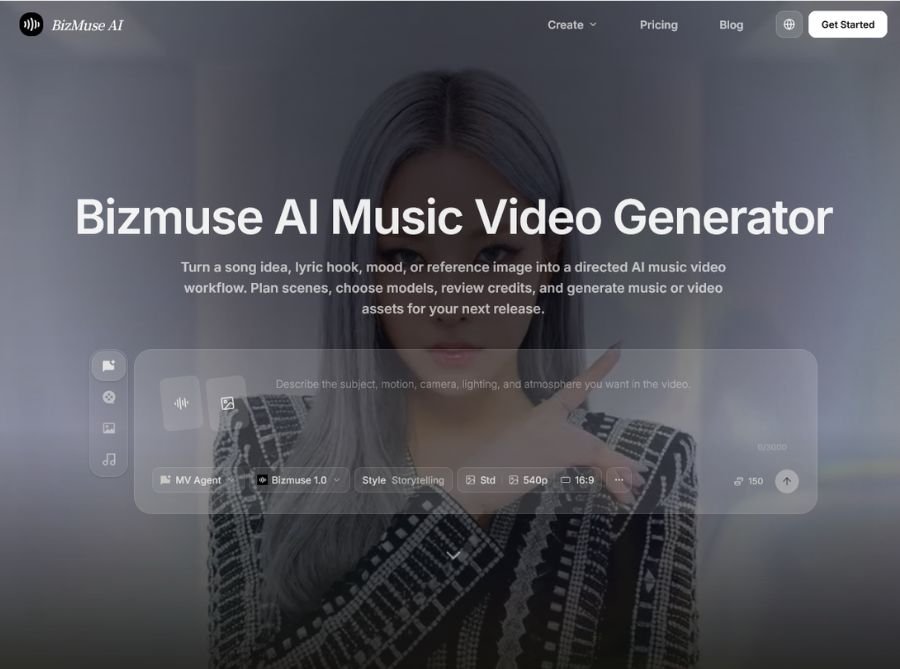
BizMuse AI is an AI-powered music video generator and creative workspace that turns songs, lyrics, moods, and reference images into directed video concepts and release-ready visual assets. It helps musicians, creators, marketers, and editors plan scenes, select AI models, estimate credits, generate visuals, and refine the strongest shots from one platform.
The platform then helps turn that creative brief into coordinated video scenes. You can use a full song, lyric idea, prompt, or reference image to create visuals that follow the music’s mood and rhythm.
BizMuse AI supports both AI music generation and AI video generation, allowing users to develop music and visuals within the same creative workflow. Its scene-level editing system also lets you fix or regenerate individual scenes instead of recreating an entire video.
Key Features of BizMuse AI
- AI music video generation: Create music videos from songs, lyrics, moods, prompts, and reference images.
- Full-song workflow: Generate videos for songs of up to five minutes, allowing verses, choruses, bridges, and outros to remain in one project.
- Music-aware storytelling: Shape scenes around the track’s mood, lyrics, tempo, and rhythm instead of generating disconnected clips.
- Reference image control: Use images to guide artist appearance, characters, cover-art style, wardrobe, atmosphere, or brand identity.
- AI music generation: Create music or develop a song concept inside the same workspace as your video project.
- Multiple AI models: Choose from different AI video and music models based on the style, quality, duration, and creative requirements of each scene.
- Scene-level refinement: Regenerate a weak scene without changing the entire video, helping reduce wasted credits and unnecessary re-renders.
- Timeline and keyframe controls: Use a timeline editor to connect prompts and visual changes to specific moments in the track.
- Autopilot storyboard mode: Let the system analyze your song and generate a complete storyboard that you can refine scene by scene.
- Credit estimation: Review the estimated credit cost before generating a scene or committing to a render.
- Multiple aspect ratios: Prepare visuals for YouTube, TikTok, Instagram Reels, Shorts, Spotify Canvas, and other platforms.
- High-resolution output: The platform’s published materials describe output options up to 4K, depending on the selected model and workflow.
How BizMuse AI Works
A typical BizMuse AI workflow includes these steps:
- Upload a song or start with lyrics, a mood, or a music idea.
- Add reference images to guide the visual identity.
- Describe the story, genre, characters, setting, and desired atmosphere.
- Let Autopilot create an initial storyboard or generate scenes individually.
- Choose an AI model and review the estimated credit cost.
- Generate the first cut.
- Refine individual scenes instead of regenerating the complete video.
- Assemble the best shots into a final music video for export.
This process combines creative planning, AI generation, and editing into one music-focused workspace.
Use Cases of BizMuse AI
- Musicians: Create music videos for singles, EPs, and album releases without organizing a traditional video shoot. Match visuals to lyrics, chorus moments, tempo changes, and the overall mood of a track. Produce multiple versions for YouTube, TikTok, Reels, and Shorts.
- Content creators: Turn original songs or audio clips into visually engaging social content. Create short promotional edits and teaser videos for upcoming releases. Experiment with different characters, settings, and visual styles.
- Music marketers: Develop campaign visuals for new artist releases and promotional campaigns. Create several visual variations for different audiences and platforms. Use consistent references to maintain an artist’s visual identity across content.
- Agencies and brand teams: Create branded music videos, campaign films, product launch visuals, and social advertisements. Use reference images to maintain brand colors, characters, products, and creative direction. Review credit estimates before production to manage campaign costs.
- Filmmakers: Convert a song into a structured visual narrative. Use AI-generated storyboards for previsualization before filming. Refine individual shots while keeping the rest of the timeline intact.
- Social media managers: Create music-based content in multiple aspect ratios for different platforms.
Build a repeatable workflow for generating, reviewing, and publishing short-form videos.